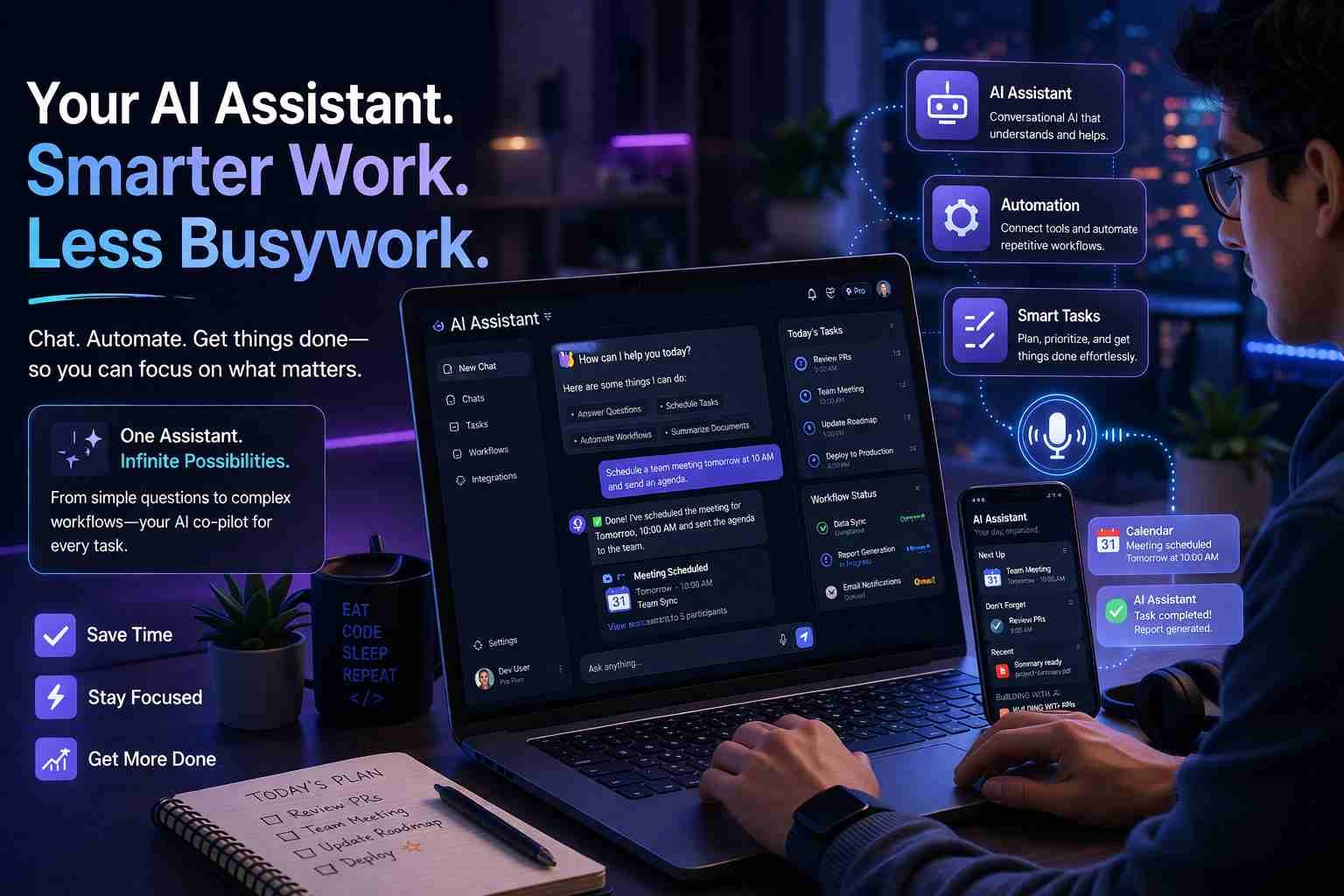
 If you’re wondering how to make an AI personal assistant, here’s the straight answer: yes, you can build one today even without coding and it can actually help with real tasks like scheduling, writing, and automation.
The difference now is simple. Tools like ChatGPT, OpenAI API, and automation platforms have made this possible for normal users, not just developers. You don’t need a big team or expensive setup anymore.
Let me walk you through what actually works, what doesn’t, and how you can build your own assistant in a way that feels useful from day one.
What does it really mean to build an AI personal assistant
An AI personal assistant is not just a chatbot.
It’s something that can:
- Understand your request
- Process it using AI
- Take action or give a useful result
Think of Siri or Google Assistant. Now imagine something smarter, more customizable, and focused on your personal needs.
Here’s the key difference:
- Basic assistants answer questions
- Real AI assistants help you do things
For example, instead of just telling you your schedule, a real assistant can create events, send reminders, or even reply to emails.
That’s what you’re aiming to build.
Can you really create your own AI assistant today
Yes, and there are three levels to it.
Level 1: No-code tools
You don’t write a single line of code. Tools handle everything.
Level 2: Low-code setup
You connect APIs and automation tools. Some learning needed.
Level 3: Full custom AI assistant
You build it using Python, APIs, and frameworks like LangChain.
Most people should start with Level 1 or Level 2. That’s where you actually get results quickly.
The easiest way to make an AI assistant without coding
Let’s keep this practical.
If you want something working today, start here.
Option 1: Custom GPT (ChatGPT)
You can create your own assistant inside ChatGPT.
- Go to “Explore GPTs”
- Click “Create”
- Define what your assistant does
You can tell it:
- “Act like a personal assistant”
- “Help me manage tasks and emails”
- “Answer like a productivity coach”
It’s simple, but surprisingly powerful.
Option 2: Zapier AI or Make.com
This is where things get interesting.
You connect AI with real apps like:
- Gmail
- Google Calendar
- Slack
Now your assistant doesn’t just talk—it works.
Example:
You say: “Schedule a meeting tomorrow”
AI → Zapier → Google Calendar → Event created
No coding needed.
Option 3: Notion AI + Automation
If you already use Notion, this is a clean setup.
You can:
- Track tasks
- Generate notes
- Automate workflows
It becomes your personal productivity assistant.
If you want more control, here’s where coding comes in
Now let’s say you want something more advanced.
This is where tools like these come in:
- OpenAI API (the brain)
- Python or Node.js (the logic)
- LangChain (connects everything)
Here’s the idea:
You send input → AI processes → your system decides what to do → output happens
Example:
- User says: “Reply to this email politely”
- AI writes response
- Your script sends it via Gmail API
That’s a real AI assistant.
The basic building blocks you need to understand
Don’t overcomplicate this. Every AI assistant has four parts:
Input
Text, voice, or commands
Processing
AI model like GPT
Output
Response, action, or task
Memory
Past conversations or stored data
Once you understand this, everything becomes easier.
How people are actually using AI assistants in real life
This is where it gets practical.
People are using AI assistants for:
- Writing emails and messages
- Managing daily tasks
- Studying and learning
- Running small businesses
- Automating repetitive work
For example:
A freelancer uses AI to reply to clients faster.
A student uses it to summarize notes.
A business owner uses it to manage orders and responses.
Same idea, different use cases.
Turning your AI into a real assistant, not just a chatbot
Here’s where most people get stuck.
They build a chatbot… and stop there.
But a real assistant needs action.
That means integrations.
You connect your AI to:
- Google Calendar
- Gmail
- WhatsApp APIs
- CRM tools
Now your assistant can:
- Send messages
- Create tasks
- Update data
This is the shift from “talking AI” to “working AI.”
The part most beginners struggle with
Let me be honest. This is where people quit.
Problem 1: Too many tools
Everyone recommends different setups. It gets confusing fast.
Problem 2: API fear
People think APIs are complicated. They’re not—but they look scary.
Problem 3: No clear goal
They try to build everything at once.
Here’s what actually helps:
Start small.
Pick one use case.
Build only that.
Simple setup idea you can try today
If you want something real, try this:
- Create a Custom GPT
- Connect it with Zapier
- Link it to Google Calendar
Now test this:
“Add a meeting tomorrow at 3 PM”
If it works, you’ve already built a functional AI assistant.
That’s how simple it can start.
What actually makes an AI assistant useful
This is the part most people miss.
It’s not about technology. It’s about clarity.
A good assistant has:
- Clear purpose
- Simple tasks
- Reliable responses
Bad example:
“Be my AI assistant”
Good example:
“Help me manage my daily tasks and schedule meetings”
The more specific you are, the better your assistant becomes.
Is it worth building your own AI assistant
Short answer: yes, but only if you know why.
Build your own if:
- You want customization
- You need automation
- You enjoy learning
Don’t build if:
- You just want basic help
- Existing tools already solve your problem
Sometimes using ChatGPT directly is enough.
Where this is going next
This space is moving fast.
We’re already seeing:
- AI agents that act on their own
- Multi-step automation systems
- Voice-controlled assistants getting smarter
Soon, your assistant won’t just respond.
It will plan, decide, and execute tasks independently.
And honestly, we’re not that far from it.

Muhammad Nawaz, tech guru & gaming aficionado. Your go-to for mobile news, gaming updates & expert blogging tips.