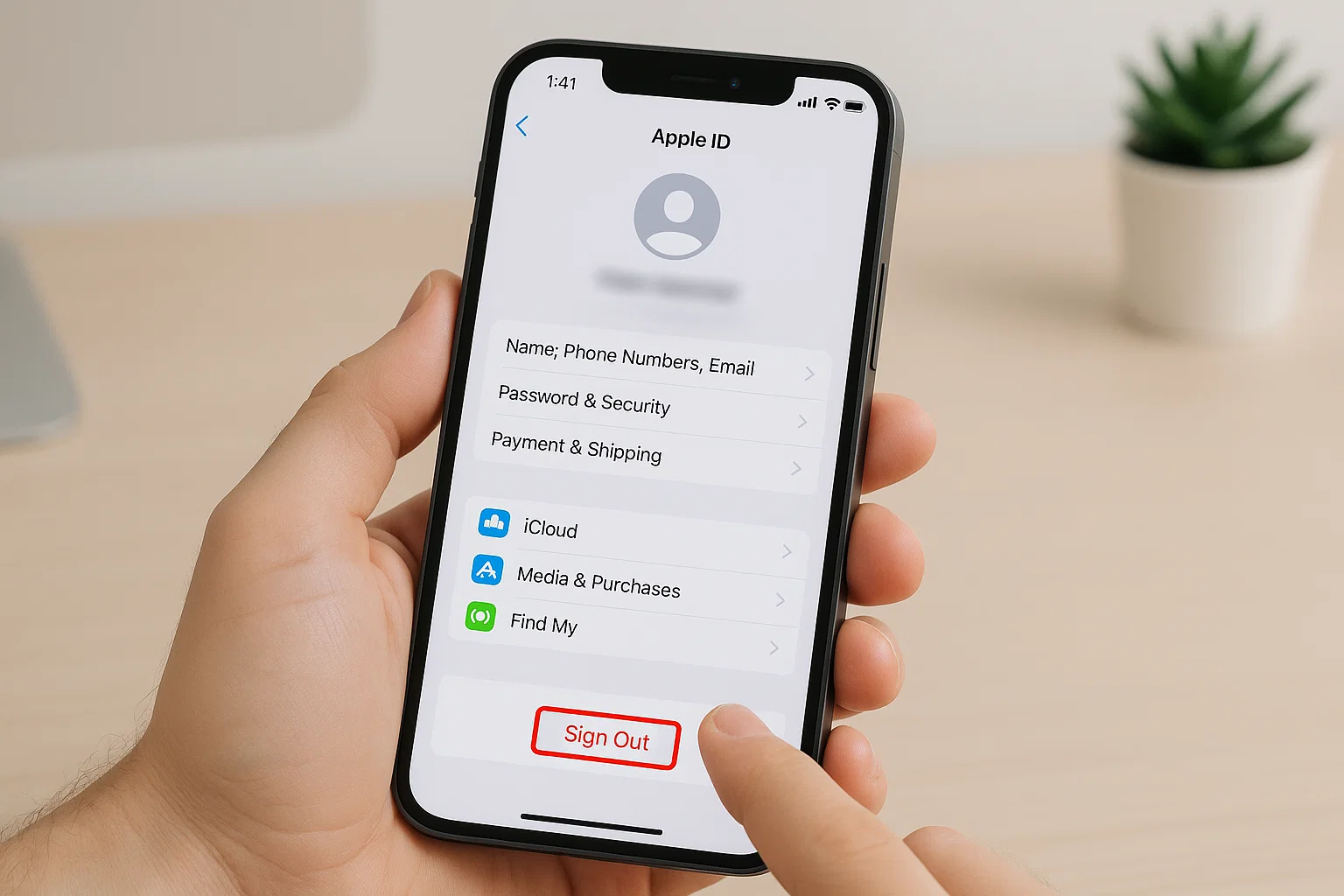
 If you’ve ever picked up your iPhone and found someone else’s Apple ID logged in, or maybe your own Apple ID is causing issues and you want to switch I know exactly how confusing it feels. Apple keeps everything locked up tight for security, and sometimes that same security becomes a headache.
So here’s what matters.
You can remove an Apple ID from your iPhone in minutes if you know the password. And yes, you can also remove a previous owner’s Apple ID without the password, but that works only through official Apple steps, and I’ll walk you through them one by one.
This guide is for you if you’ve ever wondered things like:
• “How do I remove an existing Apple ID from my iPhone?”
• “How do I remove someone else’s Apple ID from my phone?”
• “How do I unlink my iPhone from another Apple ID?”
• “How do I remove a previous owner’s Apple ID without the password?”
I’ll explain everything in plain English, with real-life examples, and steps you can follow even if you’re not tech-savvy. Let’s get into it.
What is the easiest way to remove an Apple ID from an iPhone?
Here’s the simple truth:
If you know the Apple ID password, removing it takes less than a minute.
Go to:
Settings → Tap your name (Apple ID) → Scroll down → Sign Out
But wait.
When you sign out, you must enter the Apple ID password to confirm. This is Apple’s security checkpoint. It prevents someone from stealing your phone and removing your ID.
If you don’t remember the password, or the phone belongs to a previous owner, don’t worry I’ll show you all options later in this guide.
How do I remove an existing Apple ID from my iPhone?
Here’s the step-by-step method you should follow if it’s your own Apple ID and you have access.
Step 1: Open Settings
Tap the settings icon on your home screen.
Step 2: Tap your name at the top
This opens your iCloud and Apple ID section.
Step 3: Scroll down and tap “Sign Out”
You’ll see it at the bottom.
Step 4: Enter your Apple ID password
This disables Find My iPhone and iCloud.
Step 5: Choose which data to keep
Apple asks if you want to keep contacts, calendars, and keychain on the device.
Choose Keep on My iPhone or Delete from My iPhone, depending on what you want.
Step 6: Confirm
Your iPhone will log out your account completely.
Done.
Your Apple ID is now removed.
How do I remove someone else’s Apple ID from my iPhone?
This is where most people get stuck.
Imagine buying a used iPhone and the moment you open Settings, it says someone else’s name. Or maybe you borrowed an iPhone from a family member and now their Apple ID is stuck on it.
Let me explain something clearly:
You cannot sign out someone else’s Apple ID without their password.
But and this is the part most people don’t know you can remove it if the previous owner helps you, and it takes only 30 seconds.
Here’s how.
Method 1: Ask the previous owner to remove their Apple ID remotely
Even if they don’t have the phone physically, they can unlink it from their Apple ID from anywhere in the world.
Tell them to do this:
Step for the old owner (on another phone or PC):
- Go to icloud.com/find
- Sign in with their Apple ID
- Click All Devices
- Select your iPhone
- Click Erase iPhone
- After erase completes, click Remove from Account
Once they remove it, your iPhone is fully free from their Apple ID.
This is the cleanest and fastest method.
Method 2: Remove someone else’s Apple ID if they forgot the password
If the old owner forgot the password, they can still recover their account.
Tell them to visit:
iforgot.apple.com
Apple will ask for:
• Phone number
• Recovery email
• Verification code
Once they reset the password, they can log in and remove the device.
How do I unlink my iPhone from another Apple ID?
Sometimes your iPhone is linked to an Apple ID even though it’s not signed in. This happens when:
• Your phone was previously signed into another Apple ID
• You restored a backup
• You used someone else’s Apple ID for App Store purchases
Here’s how to unlink it completely.
Step 1: Check Apple ID devices list
On your iPhone:
- Open Settings
- Tap your name
- Scroll and see the list of devices
If you see a device that doesn’t belong to you:
- Tap the device
- Tap Remove from Account
That device is now unlinked forever.
Step 2: Remove old Apple ID from iMessage, FaceTime, and App Store
For iMessage
Settings → Messages → Send & Receive → Uncheck the old Apple ID
For FaceTime
Settings → FaceTime → Tap Apple ID → Sign Out
For App Store
Settings → your name → Media & Purchases → Sign Out
This cleans your phone from any linked accounts.
How to remove previous owner Apple ID from iPhone without password (Legal Methods Only)
Here’s the honest truth.
Apple devices are extremely secure. If the previous owner’s Apple ID is still active and Activation Lock is on, you cannot bypass it with any tool, software, or trick.
Those YouTube videos claiming “Remove iCloud Without Password” are fake.
Most of them are scams.
Some are viruses.
Some will lock your phone permanently.
So here’s what actually works, legally and safely.
Method 1: Ask the previous owner (even if you don’t know them personally)
If you bought the phone from OLX, Facebook Marketplace, or a random seller try reaching out.
All they need to do is:
Log in → Remove device from iCloud → Done
It takes them less than one minute.
Method 2: Apple Support Removal (with proof of purchase)
This method works beautifully if:
• You bought the phone from an Apple Store
• You bought from an official reseller
• You have original receipt
• You have a box with the same serial number
• You inherited an iPhone from a family member
How to request Apple to remove the Apple ID
- Visit support.apple.com
- Search Activation Lock
- Choose Start Activation Lock Support
- Upload documents
- Submit your request
Apple usually replies within 24–72 hours.
If your documents match the device, Apple will remove the Apple ID from your iPhone permanently.
This is the most trusted method to remove an Apple ID without a password.
Method 3: Activation Lock Removal if You Bought a Used iPhone
If your phone shows this screen:
“iPhone Locked to Owner”
Then your device is locked at the deepest level.
To unlock it:
You need ONE of these:
• Previous owner’s Apple ID
• Previous owner’s password
• Previous owner’s remote removal
• Apple Support approval with documents
There is no shortcut.
Apple does this to stop thieves from selling stolen phones.
Signs that your iPhone still has someone else’s Apple ID on it
You should check these signs:
1. Settings shows someone else’s name
This is the biggest red flag.
2. App Store asks for a different Apple ID
This usually happens when apps were downloaded under another account.
3. Find My iPhone is ON under another ID
If Find My is enabled, the iPhone is locked to that account.
4. iPhone doesn’t restore even after factory reset
This means Activation Lock is active.
If your phone has any of these, follow the methods above.
How do I remove an Apple ID if I forgot MY password?
No worries this is the easiest case.
Go to:
iforgot.apple.com
You can recover your Apple ID using:
• Phone number
• Recovery email
• Trusted device
• Two-factor code
Once you reset the password, you can sign out easily.
Can you remove Apple ID by factory reset?
Yes, but only if:
You know the Apple ID password.
No, if:
It’s someone else’s Apple ID and Activation Lock is ON.
Factory reset won’t remove the Apple ID in that situation.
Factory Reset Method (if you know the password)
Go to:
Settings → General → Transfer or Reset iPhone → Erase All Content and Settings
Enter your Apple ID password.
Your phone wipes clean.
Can a shop remove Apple ID without password?
No.
Any shop claiming “iCloud unlock” is:
• Doing something illegal
• Using fake tools
• Stealing your IMEI
• Locking your phone forever
• Probably scamming you
Apple ID removal is only possible through:
• Previous owner
• Apple Support
• You (if it’s your account)
Stay safe.
What to do if you bought an Activation-Locked phone?
This happens a lot in Pakistan, India, UAE, and Bangladesh.
Sellers hide the lock, and the buyer finds out after payment.
Here’s what you should do:
1. Contact the seller immediately
Ask them to remove their Apple ID.
2. If they refuse
It’s almost impossible to use the phone.
3. Ask for a refund
Show them Apple’s Activation Lock page as proof.
4. File a complaint if needed
Especially for OLX/Marketplace deals.
How to check if a phone is linked to an Apple ID before buying?
Next time you buy a used iPhone, do this before paying:
Step 1: Reset the phone
Settings → General → Reset → Erase All Content
Step 2: When it restarts
Check if it asks for the old owner’s Apple ID.
Step 3: If it does
Do NOT buy it.
This simple trick saves you hours of headache.
What if I removed Apple ID but apps are still asking for the old password?
This means those apps were downloaded using someone else’s Apple ID.
Fix:
Step 1: Delete the app
Step 2: Re-download from App Store using your Apple ID
Now the app belongs to you.
What if my iPhone keeps showing the “Verification Failed” error when signing out?
Try these:
1. Restart iPhone
Sometimes it’s just a glitch.
2. Sign out of iCloud services separately
• FaceTime
• iMessage
• App Store
3. Turn off Screen Time Passcode
Some profiles block Apple ID changes.
4. Remove VPN
VPNs often block Apple authentication.
5. Reset network settings
Settings → General → Reset → Reset Network Settings
One of these almost always works.
Quick Troubleshooting Table
| Problem | What it Means | Fix |
|---|---|---|
| Apple ID can’t sign out | Wrong password | Reset at iforgot.apple.com |
| Apps ask for old Apple ID | Apps downloaded under other account | Delete and reinstall |
| Find My iPhone ON | Device locked to Apple ID | Get password or Apple Support |
| Activation Lock screen | Deep lock | Previous owner or proof required |
| Sign Out greyed out | Restrictions enabled | Turn off Screen Time |
So what’s the best method overall?
Here’s the bottom line.
If it’s your own Apple ID → Sign Out normally
If it’s someone else’s Apple ID → Ask them to remove the device remotely
If they forgot the password → Recover Apple ID
If previous owner is gone → Apple Support with proof
If no proof exists → Device cannot be unlocked legally
Apple’s security is strict but with the right method, you can remove an Apple ID the correct way.

Muhammad Nawaz, tech guru & gaming aficionado. Your go-to for mobile news, gaming updates & expert blogging tips.