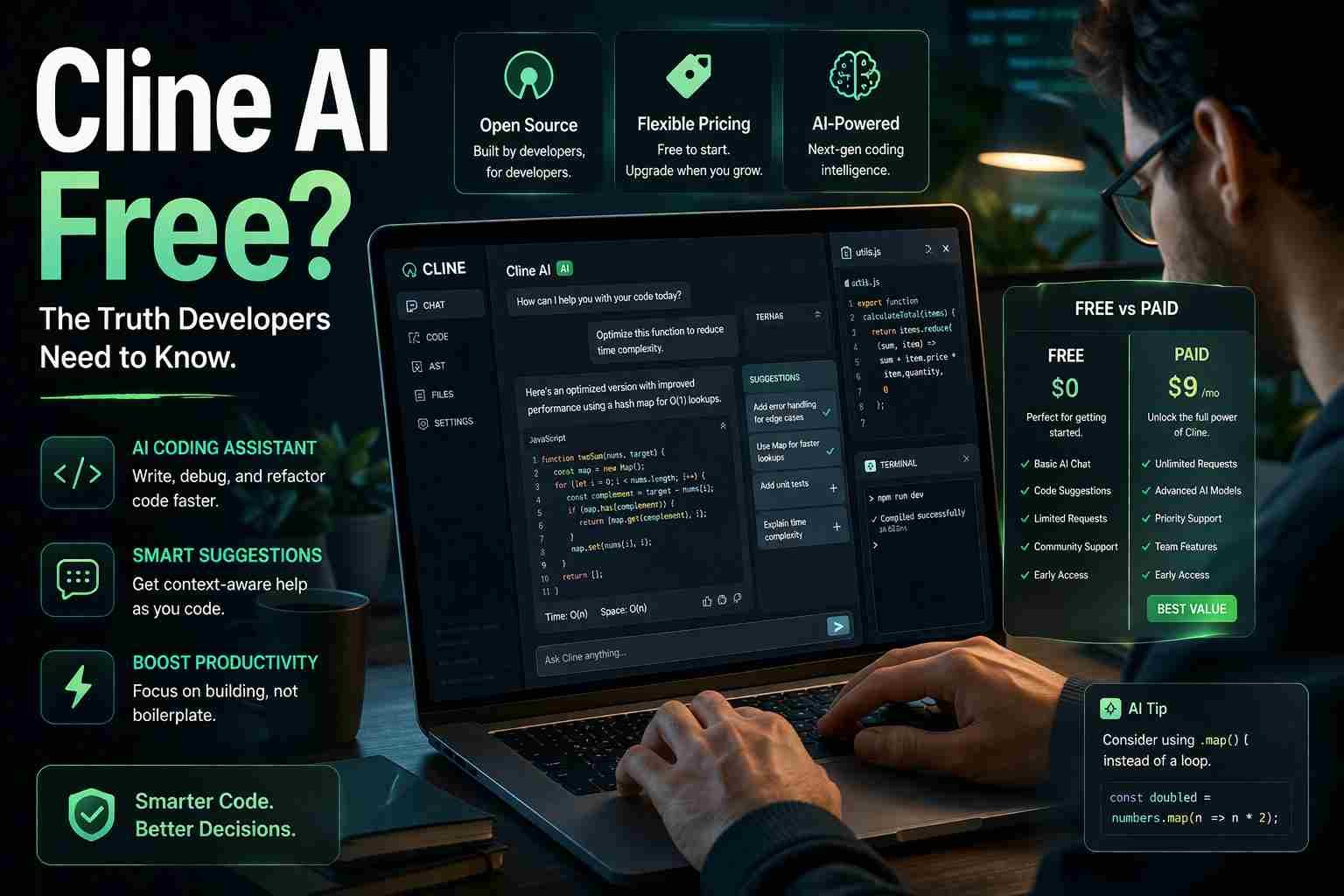
Is Cline AI Free or Paid? Real Cost, Features, and Better Alternatives Explained
If you’re wondering is Cline AI free, here’s the straight answer:
Cline AI itself is free to use, but the AI models it depends on usually cost money.
That’s where most people get confused. You install Cline, it works, and it feels free. But behind the scenes, it connects to services like OpenAI or Anthropic, and those charge based on usage.
Let me break it down in a way that actually makes sense.
What is Cline AI and why people are talking about it
Cline AI is an AI coding assistant that works inside tools like VS Code. It helps you write code, fix bugs, explain logic, and even generate full files just by chatting with it.
Think of it like ChatGPT, but sitting right inside your code editor.
What makes Cline interesting is that it gives you more control than tools like GitHub Copilot. You can connect different AI models, tweak how it works, and use it more freely.
That’s why developers are suddenly paying attention.
So is Cline AI free or not
Here’s the honest version:
- Cline AI = free (the tool itself)
- AI models it uses = usually paid
So yes, you can install and use Cline without paying anything upfront.
But the moment it starts generating responses using APIs like OpenAI, you may start getting charged depending on usage.
This is why people say both:
- “Cline is free”
- “Cline costs money”
Both are technically true.
Where the cost actually comes from
Cline doesn’t create its own AI brain. Instead, it connects to external AI services like:
- OpenAI (GPT models)
- Anthropic (Claude)
- Other APIs depending on setup
These services charge based on:
- Tokens used (input + output text)
- Number of requests
- Model type
Here’s a simple way to understand it:
If Cline is a car,
then OpenAI is the fuel.
The car is free.
The fuel is not.
So if you use it lightly, cost stays very low.
If you use it heavily for coding projects, cost increases.
Can you really use Cline AI without paying anything
Yes, but only in limited situations.
You can use it for free if:
- You have free API credits
- You use trial accounts
- You connect to free-tier AI services
But realistically, long-term usage usually becomes paid.
Still, for beginners or testing, it can feel completely free.
Is Cline AI open source or not
Cline is often considered open-source or partially open, depending on the version and components.
What this actually means:
- The interface and tool may be open
- The AI models are not open-source
That’s the important part.
So even if Cline is open, the intelligence behind it (like GPT or Claude) is still controlled by companies.
This is where many users misunderstand things.
Cline vs Cursor which one actually saves money
Let’s make this simple.
| Feature | Cline AI | Cursor |
|---|---|---|
| Tool cost | Free | Paid subscription |
| AI usage | Pay-as-you-use | Included in plan |
| Flexibility | High | Moderate |
| Beginner friendly | Medium | High |
Here’s what matters:
- Cline is cheaper if you use it lightly
- Cursor is better if you want predictable monthly cost
So the “cheaper” option depends on your usage style.
Is Cline AI safe to use on your code
This depends on how you use it.
Cline itself is generally safe, but:
- Your code may be sent to external APIs
- Those APIs process your data in the cloud
So if you’re working on:
- sensitive code
- private projects
- company work
You should be careful and check API policies.
For normal learning and personal projects, it’s usually fine.
Which AI tools are actually free right now
Let’s be honest. Truly 100% free AI tools are rare.
But these options give decent free access:
- ChatGPT free version
- Google Gemini free tier
- Microsoft Copilot (limited free usage)
- Some open-source models (with setup effort)
The catch is always the same:
Free usage is limited.
Which AI is better than ChatGPT for coding
This depends on what you need.
- Cline is powerful inside your editor
- Cursor is smoother for beginners
- GitHub Copilot is very stable
- ChatGPT is best for explanations
There’s no single winner.
Cline shines when you want control and flexibility.
Why most people get confused about AI pricing
Here’s the real problem.
Most AI tools don’t charge directly.
They charge through APIs in the background.
So users think:
“This tool is free.”
But in reality:
“You’re paying for usage, not the tool.”
This model is common now, and it’s why confusion happens.
Common questions people keep asking
Does Cline AI cost money?
Yes, indirectly through API usage.
Is Cline AI open source?
Partially, but the AI models are not.
Is Cline better than Cursor?
Depends on your needs. Cline is more flexible, Cursor is easier.
Which AI is fully free?
None are truly unlimited free. All have limits.
Who owns Cline AI?
It’s a developer tool project, not a big corporate AI like OpenAI.
What is the 30% rule in AI?
Often refers to productivity improvement estimates, not a strict rule.
Why do 85% of AI projects fail?
Poor planning, unclear goals, and overhyped expectations.
How to say I love you in C++?
cout << "I love you";
What I’d personally recommend after using tools like this
If you’re just starting, try Cline with free credits.
You’ll understand how AI coding tools actually work.
If you hate unpredictable costs, go with something like Cursor.
If you want control and flexibility, Cline is honestly a strong option.
Just remember this one thing:
The tool may be free, but the intelligence behind it rarely is.

Muhammad Nawaz, tech guru & gaming aficionado. Your go-to for mobile news, gaming updates & expert blogging tips.