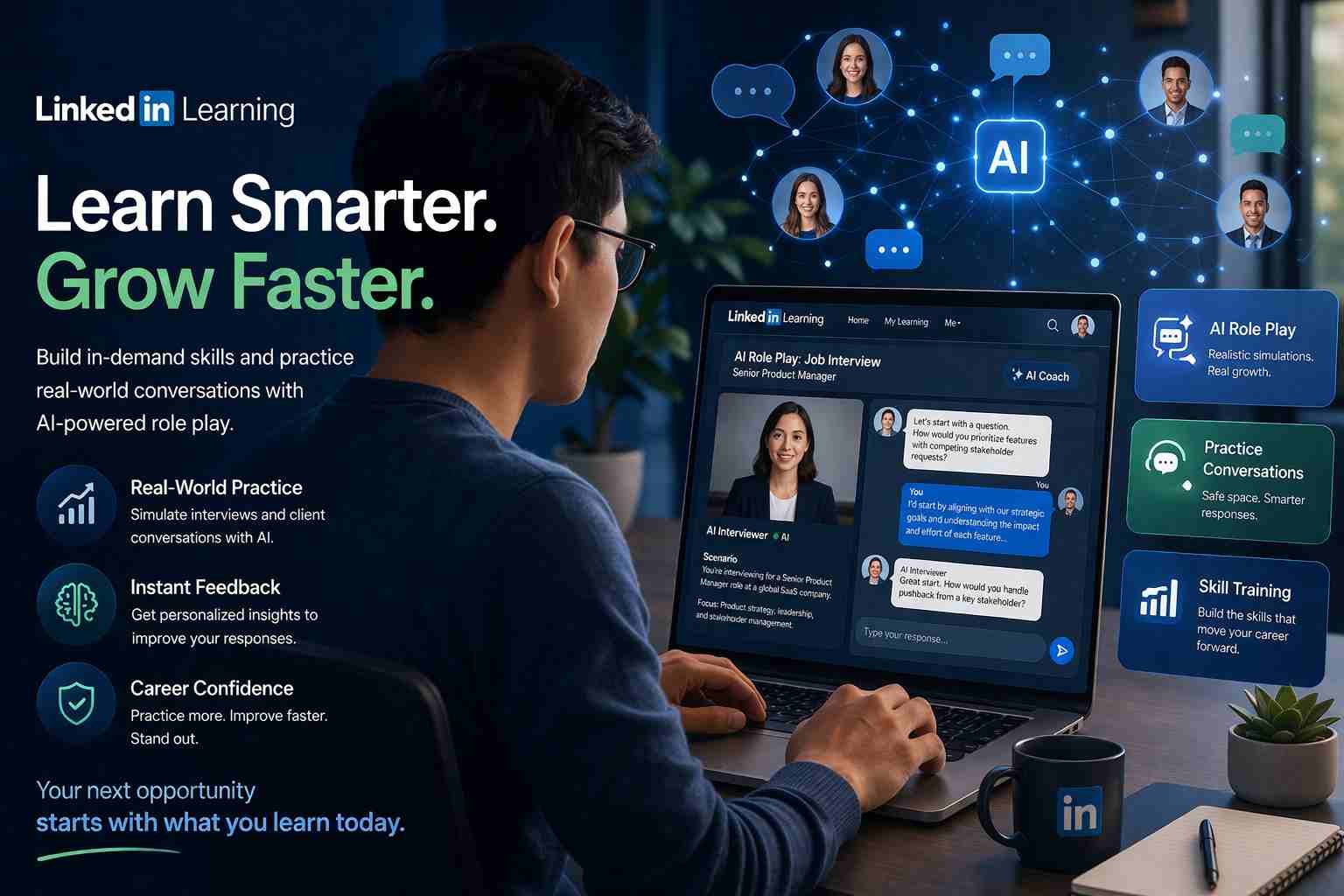
 If you’ve seen the term LinkedIn Learning AI role play and felt confused, you’re not alone. Here’s the simple truth: it’s a way to practice real-life situations using AI instead of just watching videos.
Instead of passively learning, you interact. You respond. You make decisions. And the AI reacts back like a real person would.
That changes everything.
Let me explain how it actually works and whether it’s worth your time.
What people mean by LinkedIn Learning AI role play
When people search for LinkedIn Learning AI role play, they’re usually trying to understand one thing:
Can AI really help me practice real-world skills?
The answer is yes.
LinkedIn Learning has started adding interactive AI-based simulations where you don’t just watch a course. You step into a situation. For example, you might be:
- Talking to a difficult client
- Giving feedback to a team member
- Answering interview questions
The AI plays the other role. You play yourself.
It feels less like studying and more like practice.
How AI role play actually works inside LinkedIn Learning
Here’s what’s happening behind the scenes, in simple terms.
You’re placed inside a scenario. Let’s say it’s a job interview.
The AI acts as the interviewer and asks you questions. You respond either by typing or speaking. Then the AI replies based on your answer.
It’s not random. The system uses natural language processing to understand your tone, your wording, and even your intent.
Then it adjusts the conversation.
So instead of memorizing answers, you’re actually learning how to think in real situations.
That’s the key difference.
What role play in AI really means in simple words
Role play in AI means this:
You practice a situation with a computer that behaves like a real person.
That’s it.
But the impact is bigger than it sounds.
Traditionally, role play required another human. A teacher, a trainer, or a partner. Now AI replaces that role and is available anytime.
You can repeat the same situation multiple times. Try different responses. Learn from mistakes without feeling judged.
It’s like having a personal trainer for conversations.
Real examples of AI role play you might see
This is where things get interesting.
LinkedIn Learning is focusing on practical scenarios, not theory. You’ll typically see role play in areas like:
- Job interviews and career coaching
- Sales and client conversations
- Leadership and management training
- Workplace communication
- Conflict resolution
For example, imagine practicing how to ask for a salary raise.
You try one approach. The AI reacts. Maybe it pushes back. You try again with a better response.
That kind of repetition builds real confidence.
Why LinkedIn Learning is using AI for this
Here’s what’s changed.
People are tired of watching long courses and forgetting everything later. Passive learning doesn’t stick.
LinkedIn knows this. That’s why they’re moving toward experience-based learning.
AI role play solves a big problem:
You don’t just learn what to say
You learn how to say it
And more importantly, when things don’t go perfectly.
That’s closer to real life.
Is LinkedIn Learning actually good for learning AI skills
Short answer: yes, but with limits.
LinkedIn Learning is great for:
- Understanding AI basics
- Learning practical applications
- Improving soft skills with AI tools
But it’s not built for deep technical training like coding machine learning models.
Think of it this way:
| What it does well | What it doesn’t focus on |
|---|---|
| Practical AI usage | Advanced programming |
| Communication skills | Deep AI engineering |
| Career-focused learning | Research-level concepts |
If your goal is career growth and practical skills, it works really well.
The connection between AI role play and LinkedIn marketing
This part is often overlooked.
AI role play is not just about learning. It also helps with LinkedIn marketing and personal branding.
Here’s how:
When you practice conversations like outreach messages, networking chats, or client pitches, you get better at communicating online.
That directly improves:
- Your LinkedIn messages
- Your connection requests
- Your content tone
- Your personal brand
So indirectly, AI role play helps you perform better on LinkedIn itself.
What makes this different from normal online courses
Most online courses follow the same pattern:
Watch → Understand → Forget
AI role play changes that flow into:
Try → Fail → Improve → Repeat
That loop is powerful.
Instead of just hearing advice like “be confident in interviews,” you actually practice being confident.
That’s a completely different experience.
Who should use AI role play features and who can skip it
This feature is not for everyone.
You should try it if:
- You want to improve communication skills
- You’re preparing for interviews
- You work in sales, HR, or management
- You learn better by doing instead of watching
You might skip it if:
- You only want technical AI coding knowledge
- You prefer reading or watching content only
- You’re not interested in interactive learning
So it really depends on your style.
The part most people misunderstand about AI role play
Here’s the mistake people make.
They expect AI role play to be perfect or fully realistic.
It’s not.
Sometimes responses feel slightly off. Sometimes it’s not as emotional as a real human.
But that’s not the point.
The value comes from practice, not perfection.
Even if the simulation isn’t 100% real, your thinking and responses are. That’s what improves.
What you should try if you want to start today
If you’re curious, don’t overthink it.
Start with LinkedIn Learning and look for courses that mention:
- AI simulations
- Interactive learning
- Practice-based modules
Pick one scenario that matches your real-life need. Maybe interviews or workplace communication.
Try it once.
Then try it again with a different approach.
That’s where you’ll start noticing the difference.
And honestly, once you get used to learning this way, going back to passive videos feels a bit… slow.

Alexandra Smith: All things tech, News, Social Media Guide, and gaming expert. Bringing you the latest insights and updates on Mobiledady.com