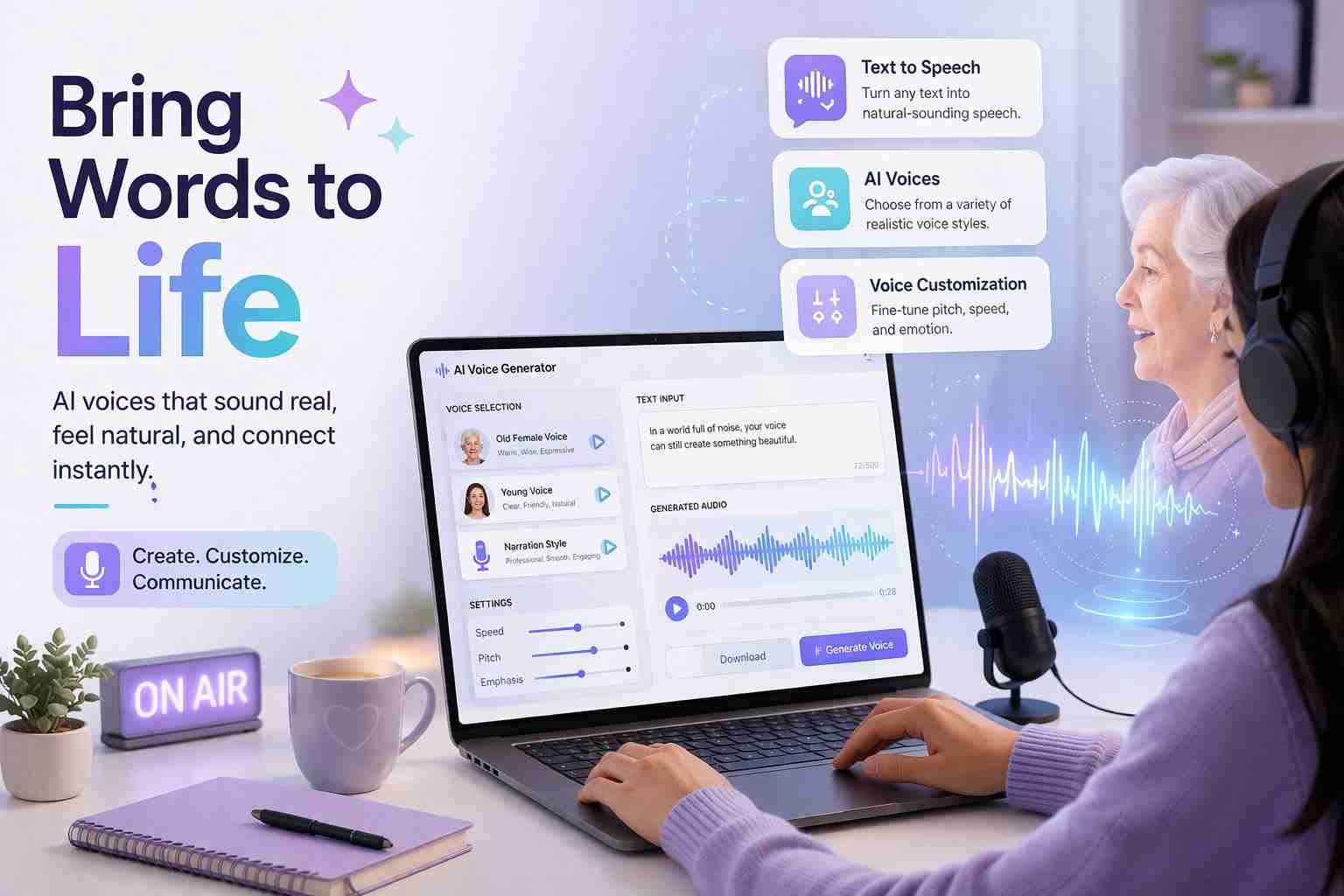
 If you’ve been hearing that calm, slightly slow, storytelling-style voice in videos lately, that’s what people usually call an old lady AI voice. It’s not a single tool or brand. It’s just a type of voice style created using AI voice generators.
The short answer is simple: yes, you can create this voice yourself in minutes. You just need the right tool and the right settings.
Let me explain how it actually works and what you should do if you want that exact voice style.
What people actually mean by old lady AI voice
An “old lady AI voice” is a text-to-speech voice that sounds like an elderly woman. Think of a calm grandmother telling a story, a soft narrator in emotional videos, or even those viral TikTok voices.
It usually has a few clear traits:
- Slightly slower speaking pace
- Softer tone with warmth
- Lower energy, but more emotion
- Natural pauses between sentences
Here’s the interesting part. No AI tool actually labels it as “old lady voice” most of the time. Instead, you pick a female voice and then adjust it to sound older.
So when people search for this, they’re really looking for a specific feeling, not just a voice option.
How AI voice technology really works
At its core, AI voice is just software that turns text into speech. But modern tools have gone way beyond robotic voices.
Here’s what’s happening behind the scenes:
- AI models are trained on thousands of real human voices
- They learn tone, pronunciation, emotion, and rhythm
- When you type text, the AI predicts how a human would say it
That’s why today’s voices sound natural, not like old GPS systems.
Some advanced tools even let you:
- Adjust emotion
- Control speed
- Add pauses
- Clone real voices
So creating an old-sounding female voice is really about tuning these elements correctly.
What makes a voice sound like an older woman
This is where most people get it wrong. They pick a random female voice and expect it to sound “old.” It doesn’t work like that.
An older voice usually has:
Lower pitch
Not deep like a male voice, but less sharp than a young voice.
Slower delivery
Older voices don’t rush. They feel more relaxed.
Slight breathiness
A bit of softness or air in the voice.
Natural pauses
Short breaks between phrases make it sound real.
Emotional tone
Warm, sometimes nostalgic, sometimes storytelling.
If you adjust these properly, even a basic AI voice can start sounding very realistic.
The AI voice tools everyone is using right now
Let’s get practical. These are the tools people are actually using:
ElevenLabs
This is probably the most popular right now. Very realistic voices, strong emotion control.
PlayHT
Good for content creators. Easy interface and lots of voice options.
Murf AI
More focused on business and presentations, but still solid.
Speechify
Simple and clean. Works well for narration.
Uberduck
More experimental. Good for fun and creative voices.
If you want the best result, start with ElevenLabs. It gives you the most control over tone and realism.
Where you can get a female AI voice without confusion
Here’s what you actually need to do inside these tools.
When you open any AI voice generator:
- Look for female voice options
- Choose something labeled like “Narrator,” “Warm,” or “Soft”
- Avoid energetic or “young” voices
Then adjust:
- Speed slightly slower
- Stability or clarity to medium
- Add pauses between sentences
That’s it. No complicated setup.
Most people overcomplicate this part.
Trying it yourself without getting stuck
Start simple.
Open a tool like ElevenLabs. Paste a short paragraph, maybe a story or emotional text.
Now tweak just two things first:
- Reduce speed a little
- Add commas or dots to create pauses
Play it.
If it still sounds young, try switching to another female voice and repeat.
Here’s the thing. You don’t need perfect settings. Just a few small changes already make a big difference.
Why this trend suddenly got popular
You’ve probably noticed this voice everywhere. There’s a reason.
Short-form content exploded. TikTok, YouTube Shorts, Instagram Reels. People needed:
- Fast narration
- Emotional storytelling
- No need to record their own voice
And this style works perfectly for:
- Story videos
- Life lessons
- Reddit stories
- AI-generated content
It feels human enough to connect, but easy enough to produce at scale.
Common mistakes people make with AI voices
This part matters more than tools.
Most people fail because they:
Pick the wrong voice
Too young or too energetic.
Ignore pacing
Fast speech kills the “older” feel.
Write bad scripts
Even the best voice can’t fix poor writing.
Over-edit settings
Too much tweaking makes it sound robotic again.
No pauses
This is the biggest one. Real speech always breathes.
Keep it simple. Focus on tone, not perfection.
Is it safe and legal to use these voices
Generally, yes. But there are a few things to keep in mind.
Using AI voices for:
- YouTube videos
- Social media content
- Narration
That’s completely fine.
But cloning a real person’s voice without permission? That’s where problems start.
Stick to built-in voices or licensed options, and you’re safe.
What I would actually recommend if you’re starting
If you’re new, don’t chase perfection.
Start with one tool. I’d say ElevenLabs.
Pick a calm female voice. Slow it down slightly. Write a simple script like you’re talking to someone, not reading a report.
Test it. Listen. Adjust a little.
That’s how you get that “old lady AI voice” feel.
Not by searching for the perfect button, but by shaping the voice step by step.

Alexandra Smith: All things tech, News, Social Media Guide, and gaming expert. Bringing you the latest insights and updates on Mobiledady.com